Hair Dye Filter: the AI photo trend
Try the burgundy hair reveal without touching a bottle. Phototrend makes it from one photo of you — four versions in about 20 seconds, no prompts to write.
Why it's trending: On TikTok since Oct 11–16, with Nepal and Nigeria posts and #hairdyefilter how-tos driving the wave.
Make yours freeWhat you get
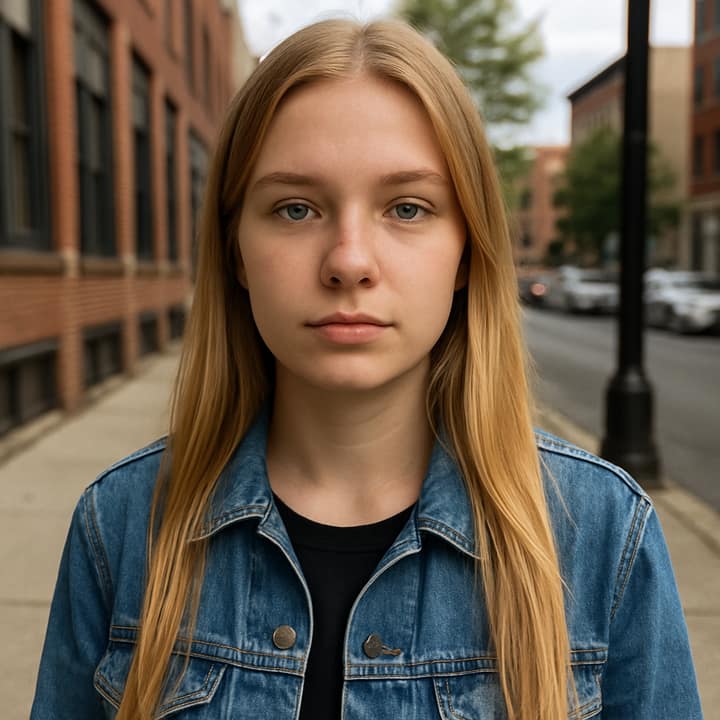
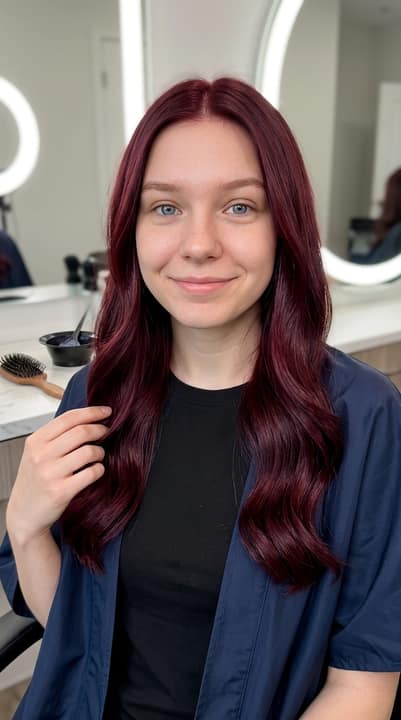
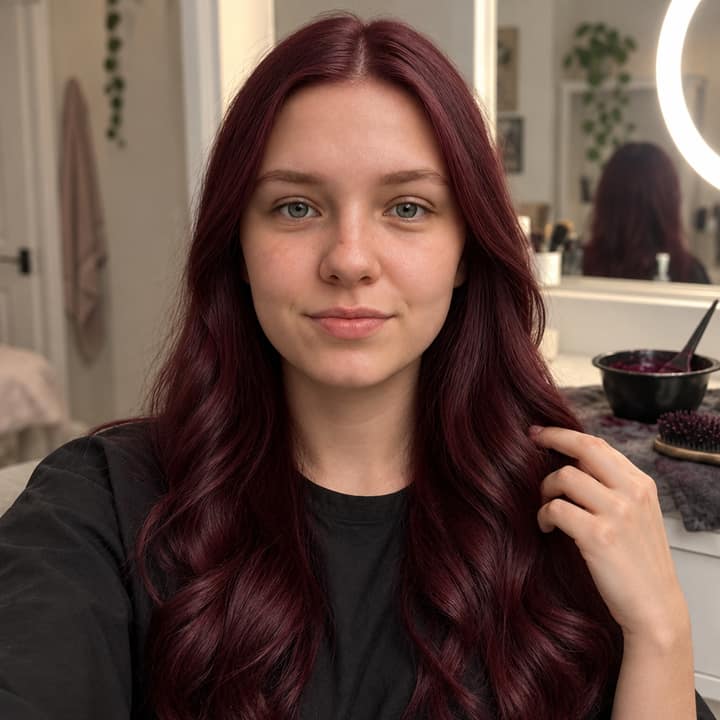

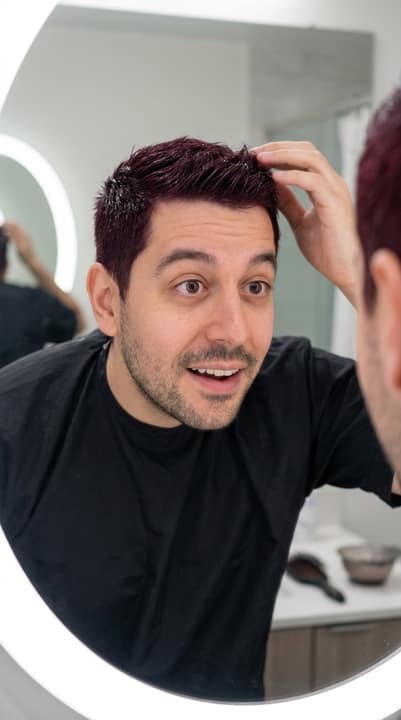
What is the Hair Dye Filter trend?
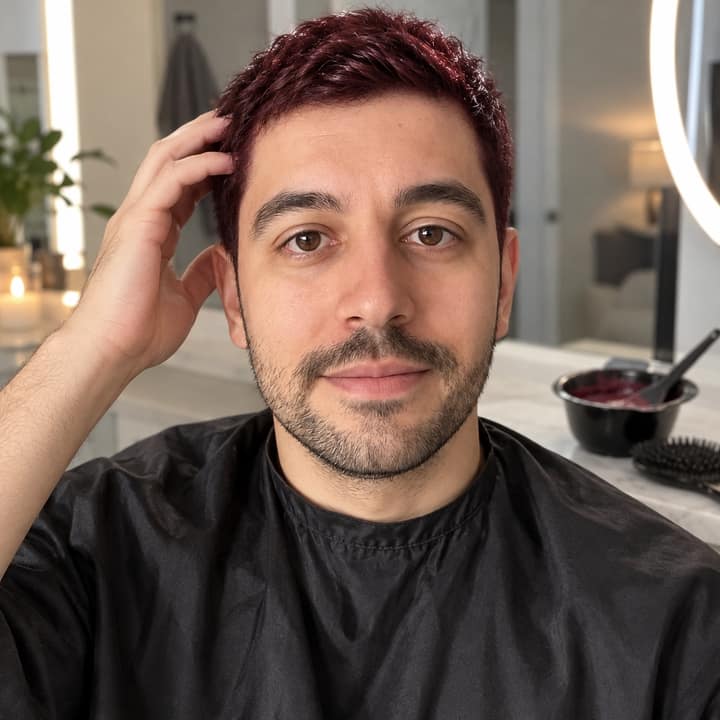
The Hair Dye Filter look is a selfie-to-makeover style: wine-red dye brushed at the roots, then a reveal of glossy cherry-burgundy hair, often with a flat-iron pass, curls, a bathroom or home-salon setting, and a proud look to camera. Template pages describe the same brush, bowl, burgundy color, and reveal structure.
Its exact origin is unclear, but the trackable TikTok wave seems to have lifted off in mid-October 2026. Trend writeups point to Nepal-associated posts around October 11, Nigeria-associated posts around October 14–15, and English how-tos by October 16. People like it because burgundy feels bold but wearable, and it suits anyone curious about red-cherry hair before dyeing.
How to do the Hair Dye Filter trend
- Open Phototrend in your browser — the first three runs are free, no account needed.
- Pick Hair Dye Filter (it's in the Photo fixes trends).
- Choose one clear photo where your face is easy to see.
- In about 20 seconds you get four versions. Download your favourite, or turn it into a 6-second video of you.
Tips for the best Hair Dye Filter picture
- Use a clear selfie where your full hair shape and part are visible, because this trend depends on the color sitting naturally on your real cut.
- Choose neutral daylight or soft indoor light; harsh shadows can make the burgundy look patchy or too dark.
- Avoid red, burgundy, or busy patterned clothing in the source photo so the AI can separate your hair from your outfit.
- If your hair is tied back, try a second run with your hair down or ask for your current length and texture to be preserved.
Hair Dye Filter prompt for Nano Banana (Gemini) and ChatGPT
Prefer to do it yourself? Paste this prompt with your photo into Gemini or ChatGPT. You get one picture a try, and keeping your face right often takes a few rewrites — on Phototrend it's one selfie, four versions in about 20 seconds.
Show the prompt
Using the uploaded photo of me as the reference, keep my face exactly the same while changing only the hairstyle color into glossy deep cherry-burgundy. Create a realistic vertical phone portrait in a bright home salon or bathroom mirror setting. Keep my natural cut, length, volume and hairline believable, styled in soft waves. Add a simple plain top, warm ring-light glow, subtle dye bowl and brush in the background. No text or logos.
Questions
Is the Hair Dye Filter supposed to look like a real dye job?
Yes, the best versions look like a believable home-salon reveal: glossy burgundy hair, natural roots and shine, and the same face. If it looks too perfect, ask for realistic skin texture, natural flyaways, and your original haircut to stay the same.
Can I use it before actually dyeing my hair burgundy?
It is useful for seeing the general vibe of cherry-red or burgundy hair on your face, but it is not a professional color match. Real dye results depend on your current hair color, porosity, lighting, and whether your hair needs lifting first.
How do I make the Hair Dye Filter on Phototrend?
On Phototrend, choose Hair Dye Filter, upload one selfie, and it makes the look in about 20 seconds. The first three runs are free, so you can try a sleeker burgundy reveal, a curled version, or a more natural everyday finish.