Business headshot: the AI photo trend
A clean studio headshot for LinkedIn, CVs and work profiles. Phototrend makes it from one photo of you — four versions in about 20 seconds, no prompts to write.
Why it's trending: A quick LinkedIn refresh: profile photos get up to 2x views and 3x connection requests.
Make yours freeWhat you get
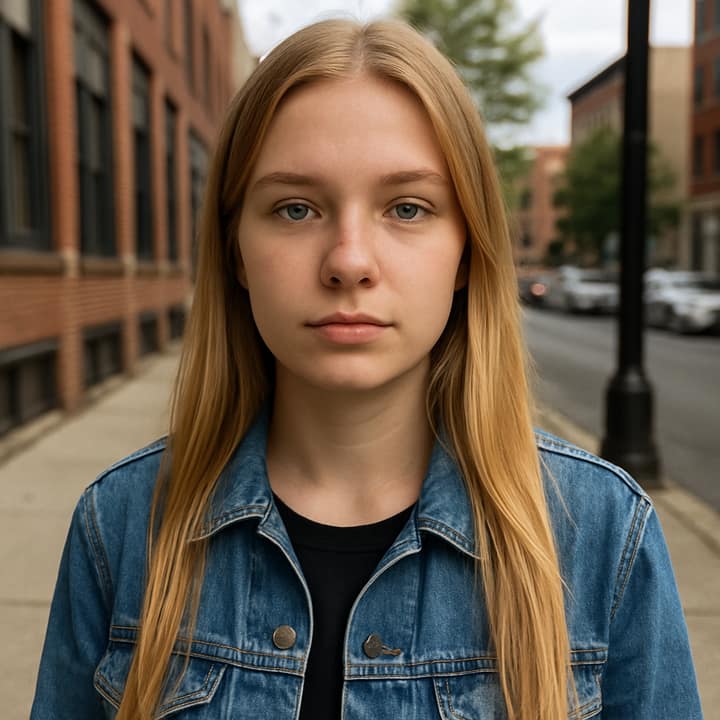
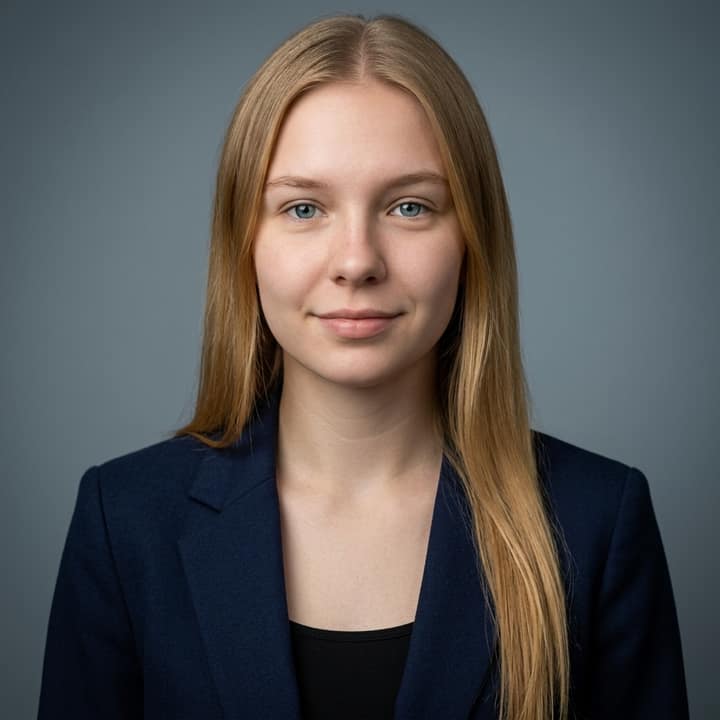
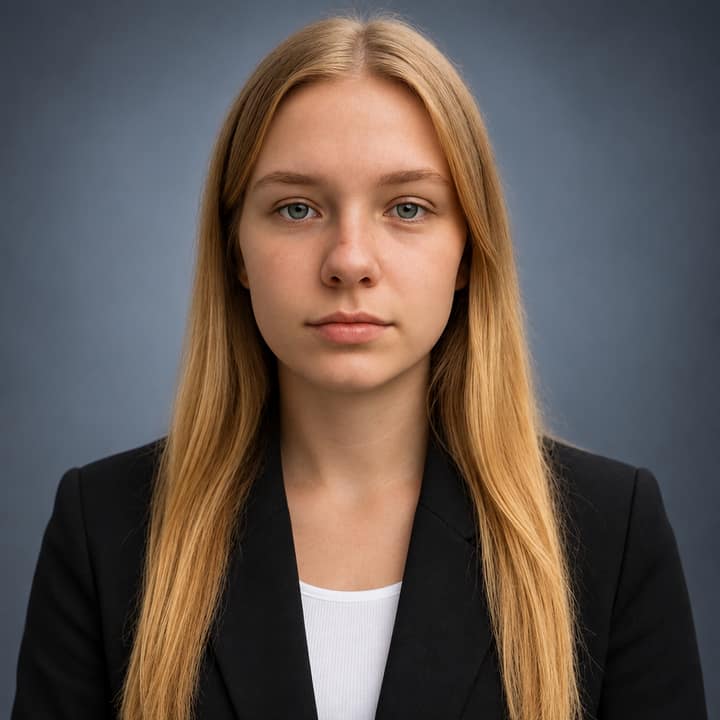



What is the Business headshot trend?
A business headshot is a clean, shoulders-up portrait for LinkedIn, CVs, resumes, company bios and work profiles: neutral studio background, soft even light, tidy hair, a blazer or simple professional top, and an approachable expression. The headshot itself is not new, but the AI version was being discussed as a TikTok/LinkedIn trend by mid-2023, with people turning everyday selfies into professional-looking portraits.
People like it because it is a fast way to refresh a work profile without booking a studio session. LinkedIn profile guidance emphasizes a recent photo that looks like you, career-appropriate dress, being alone in the frame, good lighting and a simple background; a 2026 DOL LinkedIn guide also says profiles with a photo get more profile views and connection requests.
How to do the Business headshot trend
- Open Phototrend in your browser — the first three runs are free, no account needed.
- Pick Business headshot (it's in the Portraits trends).
- Choose one clear photo where your face is easy to see.
- In about 20 seconds you get four versions. Download your favourite, or turn it into a 6-second video of you.
Tips for the best Business headshot picture
- Use a sharp, front-facing selfie or phone portrait with your whole face visible; avoid sunglasses, heavy filters, hats or strong shadows.
- Start with a relaxed half-smile rather than a dramatic pose, because this trend works best when the result feels approachable and trustworthy.
- Choose a source photo where your hair is close to how you wear it for work, since AI headshots can look less real when the hairstyle changes too much.
- If the first result feels too formal, try asking for business casual clothing, a warmer gray background, or a slightly wider chest-up crop.
Business headshot prompt for Nano Banana (Gemini) and ChatGPT
Prefer to do it yourself? Paste this prompt with your photo into Gemini or ChatGPT. You get one picture a try, and keeping your face right often takes a few rewrites — on Phototrend it's one selfie, four versions in about 20 seconds.
Show the prompt
Using the uploaded photo of me as the reference, create a realistic professional business headshot for LinkedIn and work profiles. Keep my face exactly the same, including facial features, age, skin tone, hairline and natural expression. Show me from chest up in a well-fitted blazer over a simple top, on a neutral light gray-blue studio background. Use soft key light, gentle fill, sharp eyes, natural skin texture, 85mm portrait lens look. No text or logos in the picture.
Questions
Can I use an AI business headshot on LinkedIn?
Yes, if it still looks like you and feels natural. LinkedIn-style guidance favors a recent, recognizable, solo photo with career-appropriate clothing, good light and a simple background; on Phototrend it takes one photo, about 20 seconds, and the first three runs are free.
Should I put this headshot on my resume or CV?
For U.S. resumes, many career sources recommend leaving photos off and using your LinkedIn profile for the headshot instead. If you are applying in a country or field where a CV photo is expected, keep it small, professional, and clearly recognizable as you.
How do I make an AI business headshot look real, not fake?
Keep the edit restrained: natural skin texture, normal teeth, realistic hair, simple clothing and soft office-style lighting. Avoid overly glossy skin, dramatic retouching or a face shape that no longer matches your real photo, because recruiters may notice when a picture looks heavily edited.
More Portraits trends
- Sunlight Eye Portrait
- Black and White Portrait
- Dark Stage Effect
- Red carpet arrival
- Underwater Portrait
- Golden Blinds Portrait
- Aura Farm Portrait